
Ponytail identity, MIT license and costs
What is Ponytail: a model, an IDE or a coding skill?
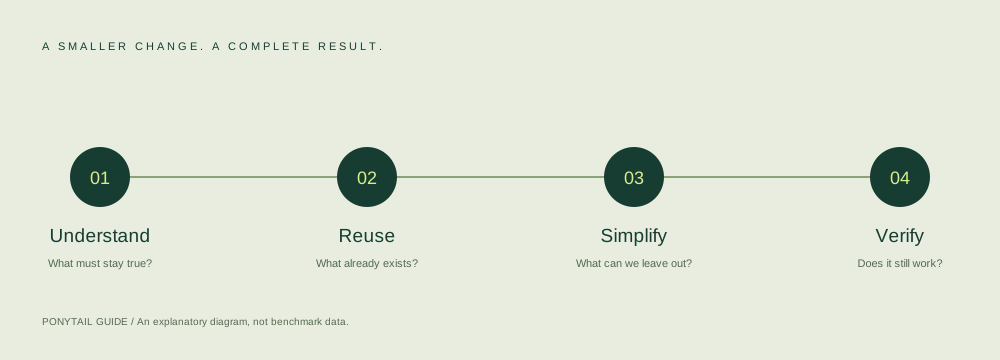
Ponytail is an AI coding-agent skill: instructions encouraging an existing agent to inspect the project, reuse suitable code and make the smallest complete change. Plugins, hooks and rule files deliver related guidance through different host mechanisms. The skill does not replace your model or IDE. Read the fixed SKILL.md and integration comparison.
Is Ponytail Guide the official project?
No. This is an independent publication maintained by the Ponytail Guide editorial team. The official project is DietrichGebert/ponytail on GitHub; its website is ponytail.dev. We explain sources and verification limits, rather than speaking for the author. See our editorial standards.
Is Ponytail free, and do I need a paid coding-agent subscription?
The checked upstream software has an MIT license, which permits use under its stated conditions. Keep the required copyright and license notices when redistributing covered material. Host accounts, model access and service subscriptions have separate terms and costs. This guide has not verified every host's current pricing or account eligibility, so a software license is not a promise of free model access. Choose the correct host setup and check that provider's terms.
Agent and operating-system compatibility
Which agents can use Ponytail, and are the integrations equivalent?
The checked source documents native plugins for Claude Code and Codex, Cursor hooks or project rules, and distinct Copilot CLI/editor paths. They are not interchangeable: hooks can run at lifecycle events, while an instruction file supplies text without the full plugin command suite. Compare the host matrix and the upstream portability notes before choosing.
Do Claude web chat, ChatGPT and every Codex surface accept the same commands?
No. Claude Code plugin commands belong to Claude Code, including the separately documented Desktop Code surface; ordinary Claude web chat is different. The Codex guide describes a CLI plugin path and Desktop restart checks, not an installation for every ChatGPT or hosted Codex interface. Confirm that your actual host exposes the documented feature. Start with Claude versus Claude Code or the Codex setup guide.
Is Windows, macOS or Linux support independently verified here?
Our actual setup checks ran on macOS. Source documentation describes additional platform paths, but that does not give this site a Windows/Linux runtime pass. Cursor desktop 2.3.35 was present locally; its live hook compatibility was not established. Check the Cursor evidence table, your host version and the OS-specific configuration paths. A documented path is weaker evidence than a successful live-host check.
Project scope, existing rules and levels
Will installation replace CLAUDE.md, AGENTS.md or my existing rules?
Do not replace existing project instructions wholesale. Record plugins and hooks first, preserve team requirements, and merge only the guidance you intend to add. Our Cursor project-installer checks preserved unrelated hooks and settings; that is not a blanket promise about every installation path or future version. See the backup checklist and AGENTS.md guidance.
Does project scope isolate all Ponytail files and activity?
No. For Cursor, --project changes the hooks configuration target, while the checked runtime can still use state under the user's home directory. Other integrations also distinguish project rules, user defaults and session state. Project configuration is not a security sandbox. Read the scope boundary before assuming a test cannot affect shared state.
Which level should I use, and why is a command missing?
Full is the upstream default; lite gives a gentler challenge, ultra questions unnecessary scope more actively, and off pauses supported behavior. Saved defaults and session switches are separate. A rules-only path does not acquire plugin commands, and namespaces differ across hosts. Use the level and command guide; for missing commands, inspect host, scope, hook trust and session age using the symptom table.
Executable hooks, data handling and safety
Are hooks safe just because the source uses the MIT license?
A license grants rights; it does not establish that code is appropriate for your environment. Hooks execute local code and can read or write state. Review scripts, permissions, paths and optional features before enabling them, preserve a backup, and start with nonprivate test material. In Codex, hook trust is a separate reviewed action. The safety checklist also applies to code changes proposed by an agent.
Can Ponytail send data outside my computer?
Some configurations can. In the checked Claude plugin, webhookUrl is empty by default; an optional band webhook sends task snapshots when that URL is configured; sendNames defaults to true and can include a task's name or first prompt. An optional token authenticates that request. The request builder requires HTTPS except for local HTTP targets. Review the fixed configuration manifest, webhook call and payload/request builder before using it.
An empty webhook setting or a local static board is not proof that the entire plugin never networks. Your coding host, model provider and invoked tools have their own processing; this guide has not executed or audited every runtime path. This website itself does not accept code uploads; its optional analytics are a separate service described in the Privacy Policy. Do not put private code or credentials into an unreviewed test.
Can optional band features access files outside this project?
Yes. The checked band implementation can write a CSV ledger and static board under $XDG_CONFIG_HOME/ponytail/band or ~/.config/ponytail/band. Explicitly invoking band import can read historical Claude project JSONL sessions and subagent records. Read the ledger paths and import implementation before enabling those features. Our setup checks did not execute them, inspect real user sessions or test the webhook; file access and host permissions need their own review.
Release tags and the source snapshot we checked
Which Ponytail version does this guide cover?
Release reference: v5.3.2 at 16352ac, published October 16, 2026. Guide-checked source snapshot: 09c434a, committed October 18 (UTC), eight commits after that tag and still reporting version 5.3.2. Our isolated installation checks used this later snapshot.
Release commit: 16352ac229eb08a9598dcae48fe9f2b342567d86; checked source snapshot: 09c434ab73ca43761c5d8b0c5d341926c2fba710. Marketplace commands may retrieve newer code, so inspect the installed source rather than relying on the version number alone. See our source and verification method.
Updates, off, uninstall and recovery
How do I update Ponytail?
Use the host-specific workflow, review changed source, then repeat registration and fresh-session checks. Claude Code has a plugin update operation; Codex marketplace refresh alone does not prove that an installed plugin changed; Cursor hooks continue to reference a retained checkout. Follow Claude Code updates, Codex refresh/reinstall or Cursor updates. Current releases are listed in the official release history.
Is turning Ponytail off the same as uninstalling it?
No. Off changes supported behavior; it does not remove plugin registrations, hook entries, files or shared settings. A static rules file can still apply independently of another integration's off state. Use session versus persistent controls to pause it, or the matching platform's removal path to uninstall the scope you actually installed.
How should I restore a previous setup or roll back a change?
Restore the configuration and project changes you recorded, leaving unrelated hooks and team rules intact. A plugin uninstall does not undo a code patch the agent already made. Review your project's diff and use its normal recovery workflow. No universal Ponytail downgrade command is established here; choose a known source with the host's documented management tools and verify it again. See recovery and safe reproduction.
Installation checks and code-reduction evidence
What did Ponytail Guide actually test?
Our isolated macOS checks covered Claude Code and Codex CLI installation management, same-source update or marketplace refresh, removal, source-file comparison, Cursor project-hook configuration, rule-file integrity and default parsing. The two installed plugin caches matched all 214 tracked files in the fixed snapshot. Seven configuration checks passed.
No authenticated new agent conversation, hook trust confirmation, lifecycle execution or live level switch was performed. We have no end-to-end activation pass for the three hosts. Read the separate Claude Code, Codex and Cursor evidence tables; reproduce the live-host checks in your own environment.
Does Ponytail guarantee less code, and is the benchmark independently reproduced?
No. The code-reduction figures discussed here come from the author's specified experiment, not a completed Ponytail Guide comparison. Fewer lines can hide a missing requirement or removed validation. The gain command displays upstream benchmark data rather than measuring your current project's savings. Read the official benchmark explanation, our independent comparison protocol and review scenarios. Correctness, security and accessibility remain acceptance conditions.
Maintained by the Ponytail Guide editorial team. Found an outdated command or a factual error? Send a correction. Do not include secrets or private code.